

Portable Monitors

5 products£70.74–£233.944.6 (25 reviews)

A second screen anywhere

What are portable monitors?

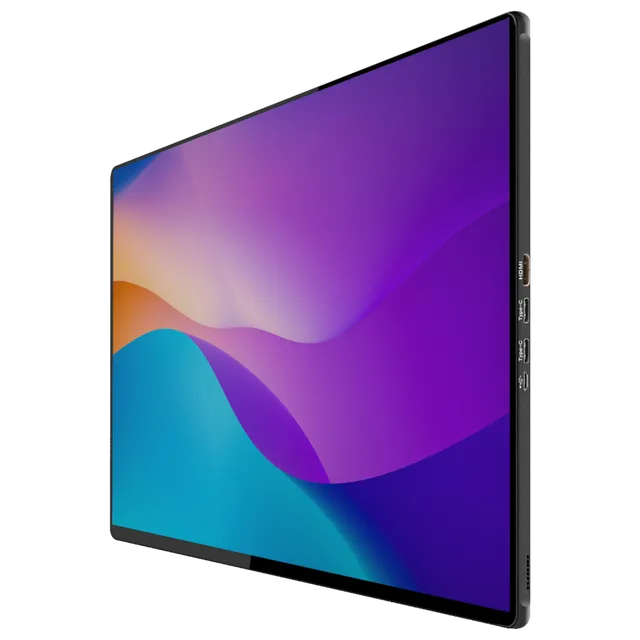
A portable monitor adds a second screen to your laptop, handheld gaming PC or mini PC without taking up a permanent place on your desk. Each portable monitor here is designed to travel, and the DroiX line-up covers 2K and 4K resolutions, with touch, stylus and Adobe RGB options on selected 15.6-inch models.

Start with the connection your device offers, then choose the size, resolution and features that suit how you work. The comparison below sets the DroiX PM14 4K against popular alternatives, and the buying guide explains what each specification means in daily use.

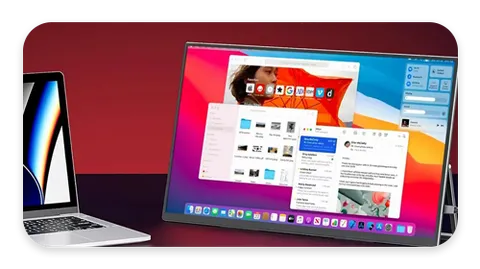
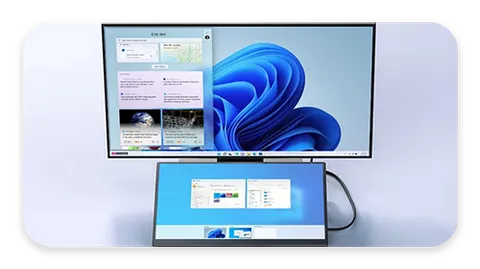
A portable monitor is a slim external screen you can carry in a laptop bag and set up wherever you work or play. It gives a laptop a second screen, enlarges the view from a handheld gaming PC and acts as a ready display for a mini PC on a small desk or in a hotel room.

This range centres on DroiX models, including refurbished Grade A units. It runs from the PM13 2K and PM14 4K to 15.6-inch 4K panels with a touchscreen, Adobe RGB colour or stylus support. Use the subcategories to narrow your search to a portable touch screen monitor, a portable PC monitor for a desktop or mini PC, or a portable laptop monitor.

When you compare models, look at:

  • Size: how much workspace you gain against how much bag space you give up.
  • Resolution: 2K or 4K for sharper text and more detail, provided your device can drive it.
  • Touchscreen: useful for presentations and drawing, but it needs a connection that carries touch data.
  • Brightness: higher figures help near windows and in bright rooms.
Showing all 0 results

No products found

Buyer guide

How to choose portable monitors

USB-C, HDMI and power

A single USB-C cable can carry video, power and touch data only when your device's port supports video output and supplies enough power. HDMI works with any device that has an HDMI output, but the monitor then normally needs separate power from a USB charger or power bank.

Before you buy, check the port specifications on your laptop, handheld or mini PC, and make sure your USB-C cable is rated for video: charge-only cables look identical but will not show a picture. Cable capability matters as much as the connector shape.

What size portable monitor should you choose?

15.6 inches is the most common portable monitor size, and it matches the screen of many laptops, so windows look consistent across both displays. It gives comfortable room for side-by-side documents or a game, but it needs a bag with a laptop-sized sleeve.

Smaller models such as the DroiX PM13 and PM14 trade some workspace for easier carrying. Think about where you will use the screen most: a fixed desk rewards a larger panel, while frequent travel favours a lighter one.

2K or 4K resolution?

Higher resolution packs more pixels into the same screen, giving sharper text and finer detail in photos and video. A 2K panel is a practical middle ground for documents, browsing and gaming on modest hardware.

A 4K monitor suits photo editing, design and anyone who wants crisp text at close range, but it asks more of your graphics hardware. For games on a handheld PC, you may still run the game at a lower resolution and let the monitor scale it. Check that your device can output 4K over the connection you plan to use.

Do you need a touchscreen?

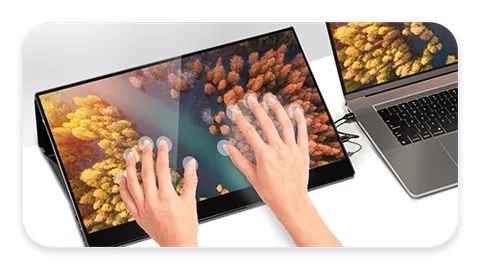
A touchscreen lets you tap, scroll and pinch directly on the monitor, which helps with presentations, kiosk-style use and quick navigation. Stylus support goes further for sketching, annotation and handwritten notes.

Touch needs more than a video signal: the connection must also carry USB data back to your device, and the operating system must support it. A single full-featured USB-C cable usually handles both, while an HDMI setup typically needs an extra USB cable for touch.

How bright should a portable monitor be?

Brightness, measured in nits or cd/m2, decides how readable the screen stays in well-lit rooms. Among the popular rivals in the comparison above, figures range from 250 nits on the ASUS ZenScreen Touch MB16AMT to 550 nits on the espresso Pro 15.

Around 250 to 300 nits is generally comfortable for indoor use away from direct light. If you often work near windows, in bright offices or outdoors in shade, look for a higher figure. Bear in mind that some monitors only reach full brightness with a dedicated power supply.

Specialist retailer

Why buy from DROIX?

DROIX has more than 12 years of specialist computing experience. Our regional stores show local pricing and tax information, with product-specific warranty, delivery and support details available before you order.

Part of DROIX.store

  • 12+ years of specialist experience
  • Regional pricing and tax transparency
  • International delivery options
  • Warranty and expert support
Questions & answers

Portable Monitor FAQ

Is it worth buying a portable monitor?

Yes, if you regularly work away from a desk or want a second screen without a permanent setup. A portable display monitor lets you keep reference material open beside your main work, share a screen in meetings and play handheld PC games on a larger view, then packs away flat.

What is the best portable monitor for a laptop?

The best choice is a monitor your laptop can connect to, in a size you will happily carry and a resolution suited to your work. USB-C video and power from one cable keeps the setup simplest, while a 15.6-inch screen matches many laptop displays.

Do portable monitors work with all laptops?

No, they work with laptops that have an HDMI output or a USB-C port that supports video. Some USB-C ports only carry data and charging, so check your laptop's port specifications before relying on a single-cable connection.

Do portable monitors need to be plugged in?

Not always, because many can draw power from a compatible USB-C port on your device. If you connect over HDMI, or your port cannot supply enough power for full brightness or touch, the monitor needs a separate USB power source such as a charger or power bank.

Why won't my computer recognise my portable monitor?

The most common cause is a cable or port that does not carry video, such as a charge-only USB-C cable or a data-only USB-C port. Try a video-rated cable or HDMI, give the monitor separate power, select the correct input and check your display settings.

What is the best portable monitor on a budget?

The DroiX PM13 2K and DroiX PM14 4K sit in the entry price band of this range. Both are refurbished Grade A units, and the PM14 adds 4K resolution for sharper text and detail.

Is a touchscreen portable monitor compatible with every device?

No, because video support does not automatically include touch input. Touch needs a connection that carries USB data as well as video, and an operating system that supports it.

Can I use a portable monitor with a handheld gaming PC?

Yes, when the handheld offers USB-C video output or HDMI through a dock or adapter. Check the output resolution your handheld supports and whether it can power the monitor, or plan for a separate power supply.