

 -5%
-5% , please spend more than £50


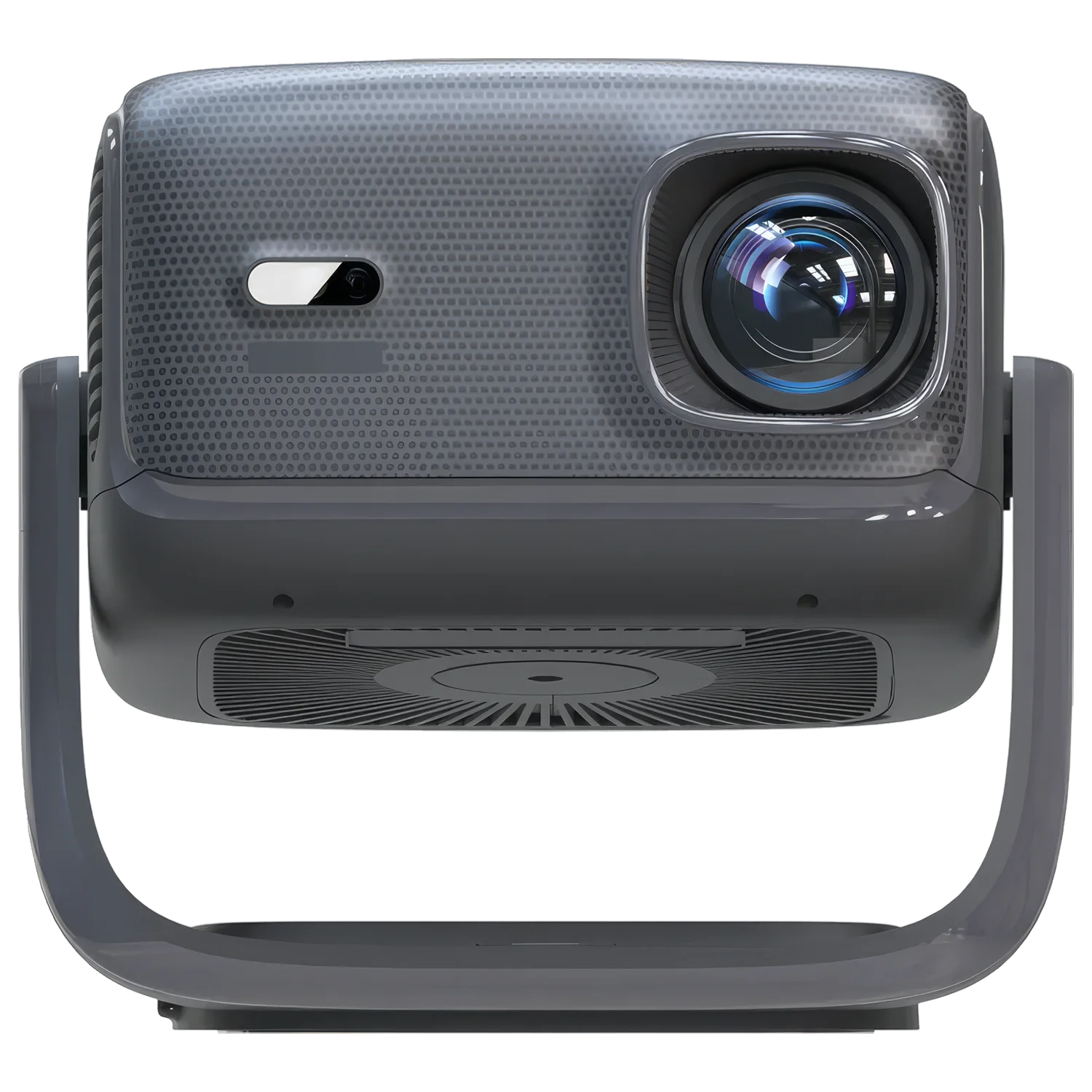
RockTek PJ500 Ultra is a smart projector built for big-screen entertainment without the usual setup friction, combining 1080p projection, 600 ANSI lumens, Google TV streaming, Wi-Fi 6 wireless connectivity and a maximum projection size of 150 inches. If you want a portable home projector that can move from bedroom to living room to garden movie night, the PJ500 Ultra gives you the essential home cinema projector features that matter: sharp Full HD detail, integrated smart software, wireless audio options, and practical ports for external devices. For buyers searching for a Google TV projector, Android projector, Bluetooth projector or projector with Netflix access, this RockTek model focuses on making everyday viewing simpler, larger and more flexible.
The RockTek PJ500 Ultra is a projector powered by a 4-core, 4-thread processor with 2 GB memory and 600 ANSI lumens. It projects 1080p content up to 150 inches. Available as a smart Google TV projector, it supports Wi-Fi 6, Bluetooth, HDMI 2.0, USB Type-A 2.0 and a 3.5mm jack.
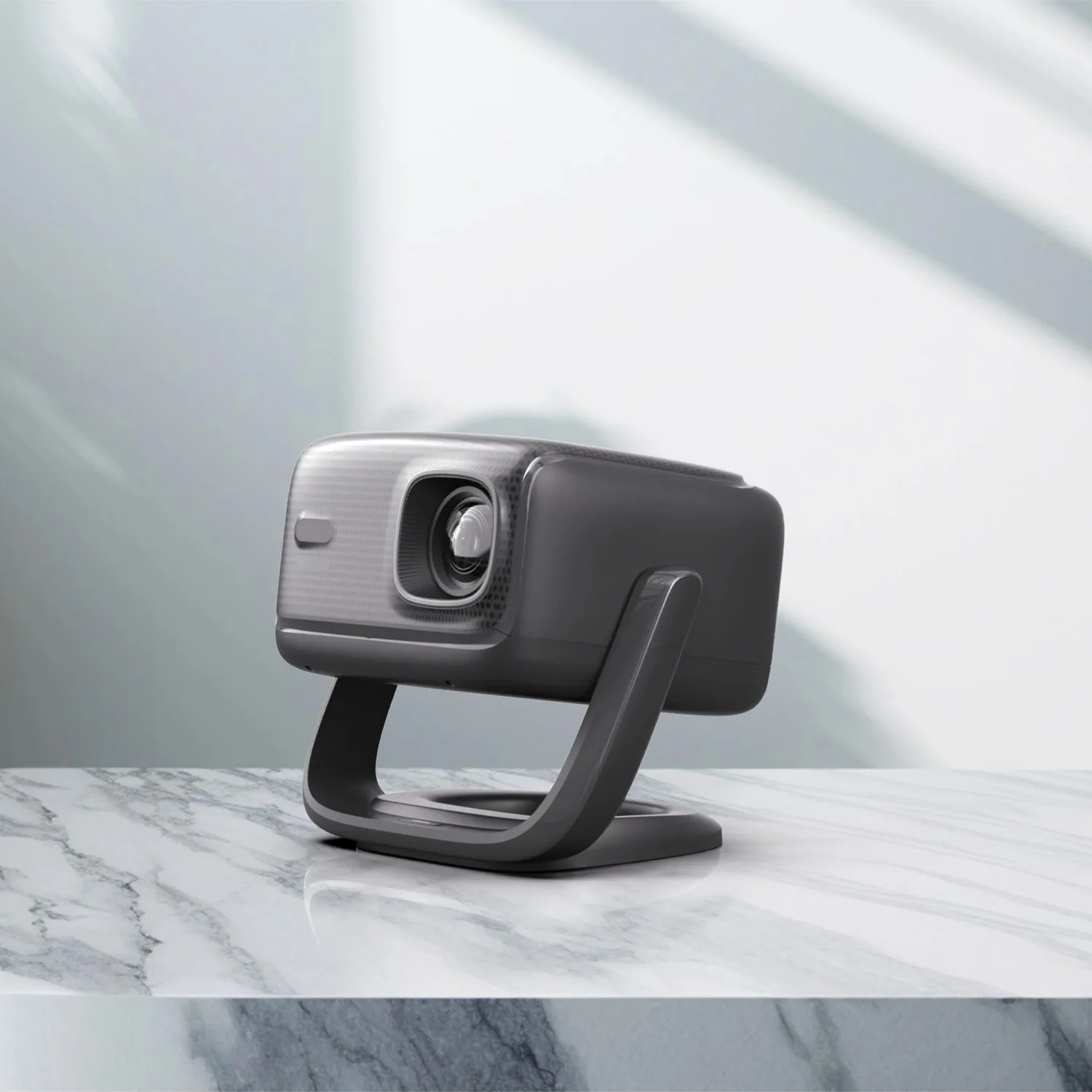
RockTek PJ500 Ultra Smart Projector: Big-Screen Viewing Without a TV Wall
The biggest limitation of a conventional television is its fixed size. Once it is installed, your screen is locked to one room and one wall. The PJ500 Ultra solves that problem by giving you a cinema-style image that can scale up to 150 inches, making it a strong choice for a living room, bedroom, spare room or temporary outdoor movie setup.
This is not just a basic display box. As a smart projector, it is designed around the way you actually watch content today: streaming services, wireless networking, Bluetooth audio and simple connection to external devices through HDMI 2.0 and USB Type-A 2.0. You can use it as a compact home cinema projector for films, a projector for bedroom streaming, or a portable home projector for social viewing.
Where a small TV can make films feel cramped, a 1080p projector lets you turn familiar content into an event. Sports fixtures, box-set marathons, console sessions and family film nights all benefit from the scale of projection. With 600 ANSI lumens, the RockTek PJ500 Ultra gives you a measurable brightness specification rather than an inflated marketing number, helping you judge how it will perform in real viewing spaces.
Key Features of the PJ500 Ultra 1080p Projector That Set It Apart
The value of the RockTek PJ500 Ultra comes from how its features work together. A 1080p projector gives you the resolution for Full HD detail, while 600 ANSI lumens supports a bright image for home cinema use. The smart platform reduces the need for extra streaming sticks, and the wireless features help keep your setup clean.
- 1080p projection: Full HD output gives films, shows and games a crisp image compared with lower-resolution portable projectors.
- 600 ANSI lumens: A clear brightness rating that matters for real-world viewing in dimmed rooms and home cinema environments.
- Up to 150-inch projection: Scale your viewing beyond the size of most televisions, ideal for movie nights and shared entertainment.
- Google TV / Android projector experience: Access a familiar smart TV-style ecosystem for streaming and app-based entertainment.
- Wi-Fi 6 projector connectivity: Designed for modern wireless networks, helping you stream more smoothly when your router and network support it.
- Bluetooth projector support: Connect compatible wireless audio devices and reduce cable clutter around your viewing area.
- Auto focus and auto keystone convenience: Spend less time adjusting the image and more time watching.
- Practical ports: 1 HDMI 2.0 port, 1 USB Type-A 2.0 port and 1 3.5mm headphone & microphone jack cover core home entertainment connections.
For a buyer comparing an Android projector with a standard projector, the distinction is simple: software matters. Integrated smart functionality means the projector becomes the entertainment device, not just the screen. That makes it easier to use in different rooms because you do not always need to move a laptop, media player or console with it.
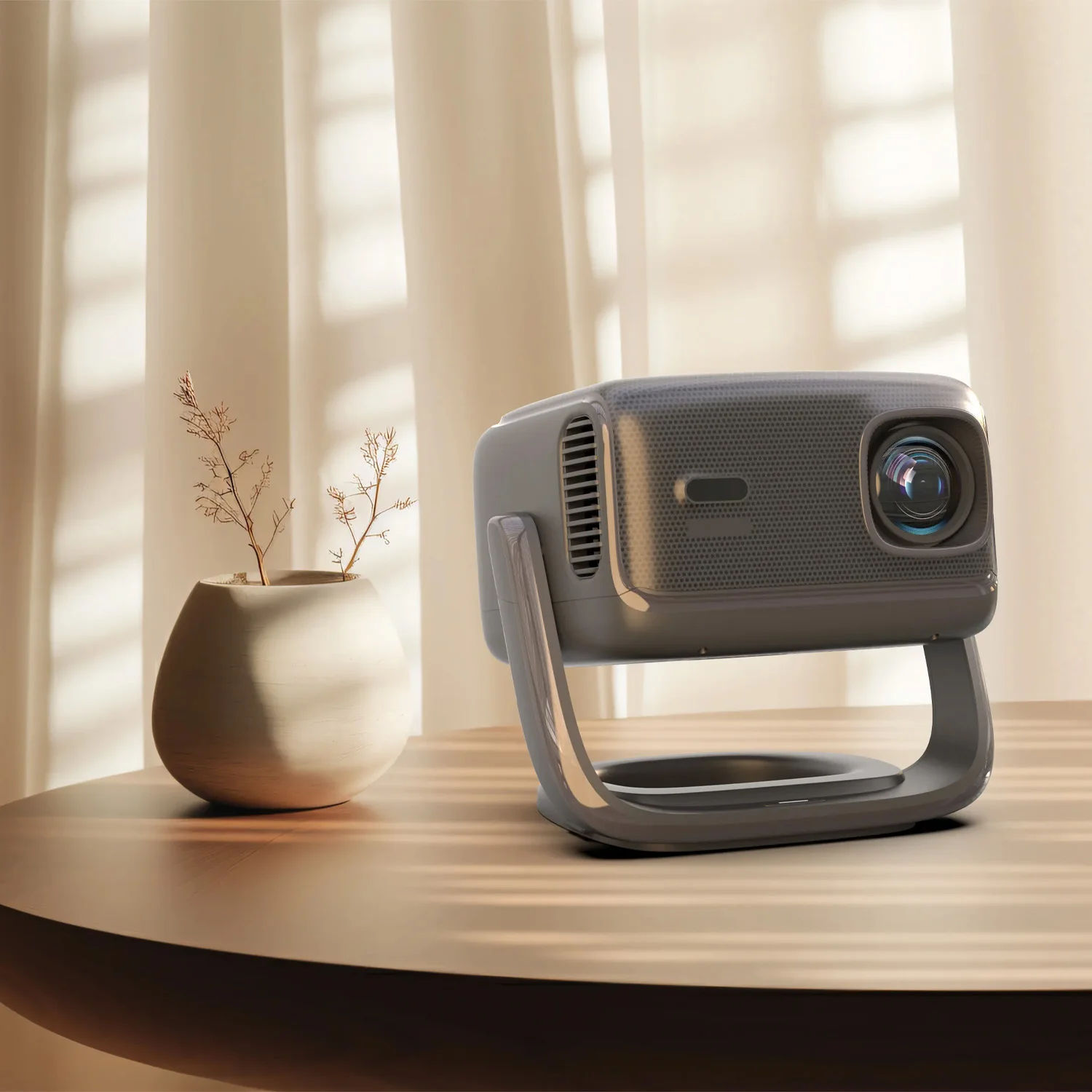
600 ANSI Projector Brightness for Real Home Cinema Impact
The RockTek PJ500 Ultra uses a measured 600 ANSI lumens brightness rating, giving you a more useful specification than vague brightness claims. For the best home cinema projector experience, use it in a dimmed room, reduce direct light on the projection surface and match the image size to your environment. That combination helps the 1080p image retain contrast, colour visibility and detail during films, sport and streaming sessions.
1080p Projector Performance for Films, Streaming and Gaming
A projector lives or dies by the image it can create. The PJ500 Ultra focuses on the resolution and scale most buyers actually want for home entertainment: 1080p detail and a maximum image size of 150 inches. That means you can enjoy Full HD content at a size that transforms a normal wall or screen into a cinematic viewing area.
Full HD Detail for Everyday Entertainment
With 1080p projection, the RockTek PJ500 Ultra is well suited to streaming films, TV episodes, sports highlights, YouTube videos and console content. Text appears clearer than it would on lower-resolution projectors, while faces, subtitles, menus and game interfaces retain the detail you expect from Full HD sources.
Resolution matters even more as screen size increases. A 150-inch projection can expose the limitations of low-resolution hardware, but a 1080p projector gives you a stronger foundation for large-format viewing. You still get the best results from a suitable projection surface and controlled room lighting, but the Full HD specification gives the PJ500 Ultra the right base for serious home viewing.
600 ANSI Lumens for Practical Home Cinema Rooms
The 600 ANSI lumens rating gives you a concrete brightness figure. ANSI lumens use a standardised measurement method, so the number tells you more than non-standard brightness claims often used in projector marketing. In practice, this helps when choosing where to use the projector and how large to make the image.
For films and streaming, you will get the strongest results in a darker room, just as you would in a cinema. Use curtains, dim the lights and project onto a clean, suitable surface. The reward is a larger, more immersive image that feels much closer to a theatre experience than watching on a small bedroom or kitchen TV.
Quad-Core Processing for Smart Projector Responsiveness
The PJ500 Ultra lists a processor configuration of 4 cores and 4 threads, with a listed base frequency of 1500 GHz. Combined with 2 GB of memory, this hardware supports the smart projector experience: navigating menus, loading apps and handling the core interface that sits between you and your content.
For a Google TV projector, processor performance affects the feel of everyday use. You notice it when moving between apps, opening streaming platforms or adjusting settings. RockTek has positioned the PJ500 Ultra as an all-in-one entertainment device rather than a display that depends entirely on external hardware.
Google TV Projector and Android Projector Ecosystem for Streaming
The software ecosystem defines what a smart projector can do when you turn it on. The RockTek PJ500 Ultra is built around a Google TV / Android projector experience, which is important if you want the familiar app-driven approach you already use on modern smart televisions and media players.
For many buyers, the key question is simple: can this be used as a projector with Netflix and other streaming services? The Google TV-style ecosystem is designed for app-based entertainment, giving you a central interface for streaming content, browsing recommendations and using your projector as the main viewing device rather than a passive display.
Why Google TV Matters on a Portable Home Projector
A Google TV projector reduces the amount of extra hardware you need to carry. If you move the PJ500 Ultra from the lounge to a bedroom, or take it to a family gathering, the smart software remains with the projector. You can connect it to a network and use the interface directly instead of relying on a laptop or separate streaming stick for every session.
This makes the projector especially useful for flexible homes. One evening it can be a home cinema projector for a film; the next, it can be a projector for bedroom viewing or a casual outdoor movie projector for a group. The software layer makes that flexibility easier because your entertainment source is integrated into the device.
Streaming, Apps and Everyday Use
An Android projector also gives you a familiar structure for browsing apps and settings. You do not need to treat the PJ500 Ultra like specialist AV equipment every time you use it. Instead, you interact with it more like a smart TV: choose an app, choose content, start watching.
That matters for shared households. Not everyone wants to deal with cables, input switching and external sources just to watch a film. A smart projector simplifies the experience for guests, children and family members who already understand app-based viewing.
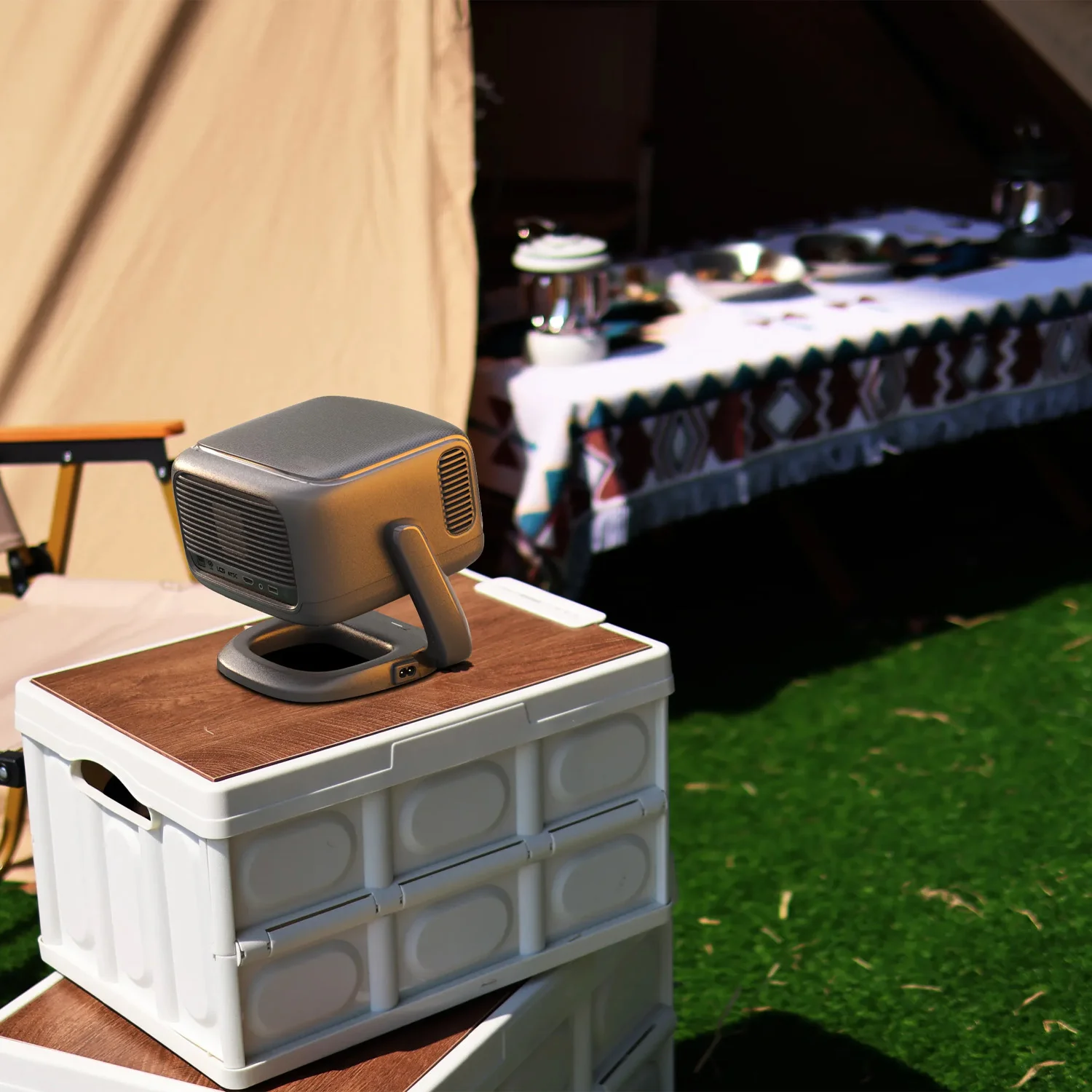
Auto Focus Projector and Auto Keystone Projector Setup
The PJ500 Ultra is designed to reduce the setup steps that often make projectors feel inconvenient. As an auto focus projector and auto keystone projector, it helps you get a watchable image faster when you move between rooms or change the projection angle. That convenience is valuable for portable use: place it, connect to power, align the image and start watching with less manual adjustment.
150-Inch Home Cinema Projector Experience in Your Space
The standout advantage of any projector over a TV is image size, and the PJ500 Ultra supports a maximum projection size of 150 inches. That opens viewing possibilities that a standard television simply cannot match without dominating the room permanently.
From Bedroom Projector to Living Room Cinema
As a projector for bedroom viewing, the RockTek PJ500 Ultra lets you enjoy a large screen without wall-mounting a television. You can project onto a suitable wall or screen, then pack the setup away when you want the room to feel uncluttered. This is especially useful for rented spaces, multi-use rooms and compact flats.
In a living room, the 150-inch potential gives you the scale for film nights, sports and event viewing. A large projected image changes how people gather around content. Instead of crowding a modest TV, everyone gets a more cinema-like view from the sofa.
Outdoor Movie Projector Possibilities
The PJ500 Ultra also works well as an outdoor movie projector for occasional garden viewing, provided you control the environment sensibly. Project after dusk, use a stable surface, choose a suitable screen or wall, and keep the projector protected from moisture and dust. Under the right conditions, the large image size makes outdoor films feel social and memorable.
Wireless features help in these temporary setups. Wi-Fi 6 supports network streaming where your home network reaches, while Bluetooth gives you more freedom with compatible speakers or headphones. Add a suitable power source and you can create a flexible entertainment space without installing anything permanently.
Wi-Fi 6 Projector and Bluetooth Projector Connectivity
Connectivity determines how easily your projector fits into your existing technology. RockTek equips the PJ500 Ultra with wireless and wired options that cover the essential home entertainment scenarios: streaming over Wi-Fi, connecting Bluetooth audio, plugging in HDMI sources and using USB devices.
Wi-Fi 6 for Modern Wireless Streaming
As a Wi-Fi 6 projector, the PJ500 Ultra is designed for current-generation wireless networks. Wi-Fi 6 can improve network efficiency when paired with compatible routers and devices, which is particularly useful in homes where multiple phones, laptops, consoles and smart devices compete for bandwidth.
For streaming, the benefit is straightforward: fewer cables and more placement freedom. You can position the projector where it gives the best image, then connect it to your network for smart TV content rather than running a video cable from another room.
Bluetooth for Wireless Audio Flexibility
Bluetooth projector support matters because audio placement is often as important as image placement. You may want the projected image at the back of the room, but the sound closer to the seating area. Bluetooth gives you the option to connect compatible wireless speakers or headphones, reducing cable clutter and helping you adapt the setup to the room.
This is particularly useful for late-night viewing. Pair compatible headphones and you can enjoy a large image without disturbing others. For group viewing, connect a suitable Bluetooth speaker to place the sound where it works best.
HDMI 2.0, USB Type-A 2.0 and 3.5mm Audio Connections
The PJ500 Ultra includes 1 HDMI 2.0 port, giving you a direct wired input for devices such as games consoles, laptops, media players and set-top boxes. HDMI remains the simplest way to connect external video sources when you want a stable direct connection.
You also get 1 USB Type-A 2.0 port, useful for compatible USB accessories and media workflows depending on supported formats and software. The 1 3.5mm headphone & microphone jack gives you an analogue audio option for headphones or compatible audio equipment, which is valuable when Bluetooth is not the right choice.
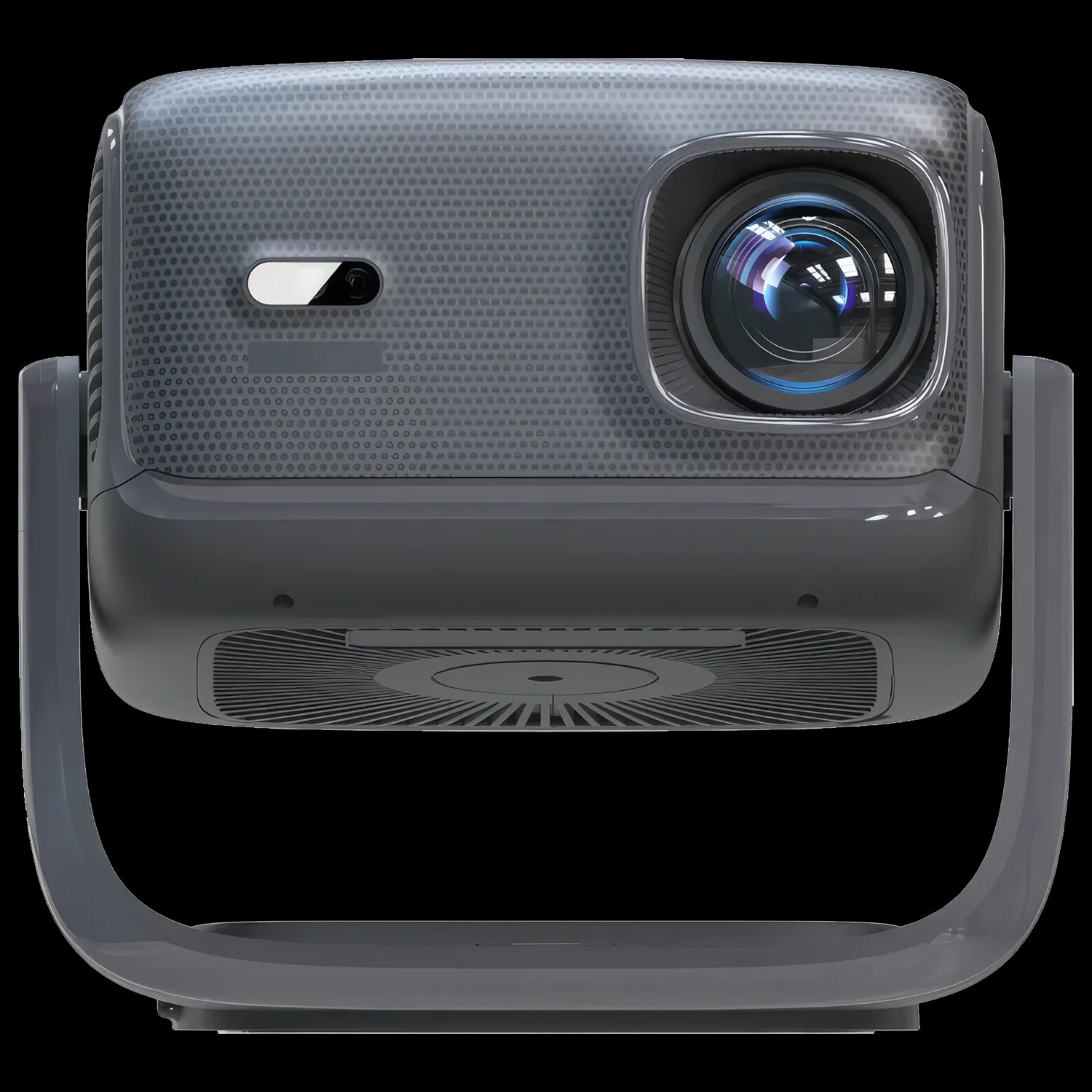
Portable Home Projector Design for Flexible Rooms
A portable home projector should adapt to your home rather than forcing your home to adapt to it. The PJ500 Ultra brings together smart software, wireless connectivity and essential physical ports so you can use it in different rooms without building a permanent AV installation. Move it to the lounge for films, use it as a projector for bedroom streaming, or set it up for a social viewing session when guests arrive.
Memory, Processor and Practical Hardware Specification
The RockTek PJ500 Ultra specification is focused on smart projection rather than desktop computing, so the key hardware values are the ones that support navigation, app use and media playback. It includes 2 GB of memory and a processor with 4 cores and 4 threads. The listed base frequency is 1500 GHz.
2 GB Memory for the Smart Interface
The 2 GB memory capacity supports the built-in smart environment. In practical terms, memory helps the projector move through menus, handle app interfaces and keep the Google TV / Android projector experience responsive during normal use.
Because the PJ500 Ultra is not positioned as a general-purpose computer, the most important outcome is usability. You want to select a streaming app, change settings, switch inputs and start content without treating the projector like a technical project. The combination of smart software and defined hardware gives the unit its all-in-one character.
Quad-Core Processing for Everyday Control
The 4-core, 4-thread processor configuration gives the projector the compute foundation for its interface and media features. When you browse streaming apps, move through menus or adjust display settings, the processor underpins that experience.
For buyers comparing projectors, it is important to separate projection performance from smart system performance. The image is defined by the 1080p resolution, 600 ANSI lumens and projection size. The processor and memory make the smart projector side feel usable and integrated.
Real-World Uses for the RockTek PJ500 Ultra Projector
The best reason to choose a projector is not one single specification; it is the number of ways it can change your entertainment setup. The RockTek PJ500 Ultra is a strong fit for users who want one compact device to handle streaming, large-screen viewing and flexible placement.
Film Nights in the Living Room
Use the PJ500 Ultra as a home cinema projector when you want films to feel larger and more immersive. The 1080p resolution keeps Full HD content clear, while the 150-inch maximum projection size gives you the scale for a proper group viewing experience.
Bedroom Streaming Without a Permanent TV
As a projector for bedroom use, the PJ500 Ultra is ideal when you want a big image without installing a large television. The smart interface helps you stream directly, while auto focus and auto keystone support make repositioning less tedious.
Garden and Outdoor Movie Sessions
For an outdoor movie projector setup, the PJ500 Ultra works best after dark with a suitable projection surface. Its portable nature, Wi-Fi 6 connectivity and Bluetooth audio options make it practical for occasional garden cinema nights without a permanent outdoor screen installation.
Console, Laptop and Media Device Connections
The HDMI 2.0 port lets you connect external sources when you need them. Plug in a games console for large-screen play, connect a laptop for presentations or media, or attach a compatible media device when you prefer a wired input.
Who Is the RockTek PJ500 Ultra Best For?
The Streaming Fan Who Wants a Projector with Netflix
The PJ500 Ultra is best suited to viewers who want app-based entertainment on a much larger image than a normal TV. Its Google TV / Android projector experience makes it a natural fit for streaming-led homes that value convenience and big-screen viewing.
The Flexible Home Cinema Buyer
This projector suits buyers who do not want a permanent television dominating every room. With 1080p projection, 600 ANSI lumens and up to 150 inches, it gives you a home cinema projector experience that can move where you need it.
The Social Viewer Planning Outdoor Movie Nights
The RockTek PJ500 Ultra is a good match for occasional garden screenings, family gatherings and shared events. Use it after dusk with a suitable surface, connect via Wi-Fi or HDMI, and pair compatible Bluetooth audio for a flexible outdoor movie projector setup.
Why Buy the PJ500 Ultra from DroiX?
DroiX specialises in performance technology and enthusiast-grade devices, and we treat projectors with the same attention to practical specification that we bring to handheld gaming PCs, mini PCs and portable computing hardware. When you buy the RockTek PJ500 Ultra from DroiX, you get a specialist retailer that understands how the operating system, connectivity, ports and display specifications affect real use.
You also benefit from an official warranty and fast global shipping, giving you confidence whether you are upgrading your living room, building a bedroom cinema setup or choosing a portable home projector for events. We focus on clear product information, practical buying advice and after-sales support rather than vague claims.
RockTek PJ500 Ultra Full Specification Summary
| Brand | RockTek |
|---|---|
| Model | PJ500 Ultra |
| Product category | Projectors |
| Projection resolution | 1080p |
| ANSI lumens | 600 |
| Maximum projection size | 150 inches |
| Operating system experience | Google TV / Android projector ecosystem |
| Wireless connectivity | Wi-Fi 6, Bluetooth |
| Focus and image correction | Auto focus, auto keystone correction |
| Memory capacity | 2 GB |
| Processor | 4 cores, 4 threads, 1500 GHz listed base frequency |
| HDMI ports | 1 HDMI 2.0 port |
| USB ports | 1 USB Type-A 2.0 port |
| Audio port | 1 3.5mm headphone & microphone jack |
Frequently Asked Questions About the PJ500 Ultra Smart Projector
Is the RockTek PJ500 Ultra a 1080p projector?
The RockTek PJ500 Ultra is a 1080p projector designed for Full HD home entertainment. That resolution gives you clearer detail for films, streaming apps, subtitles, menus and games than lower-resolution portable projectors, especially when projecting a large image.
How bright is the PJ500 Ultra 600 ANSI projector?
The PJ500 Ultra is rated at 600 ANSI lumens. ANSI lumens are a standardised brightness measurement, making the figure useful for real-world comparison. For best results, use the projector in a dimmed room or after dark when setting it up outdoors.
Can I use the RockTek PJ500 Ultra as a projector with Netflix?
The RockTek PJ500 Ultra uses a Google TV / Android projector experience for app-based streaming. That makes it suitable for buyers looking for a projector with Netflix-style smart viewing, subject to app availability, account requirements and regional service support.
Does the PJ500 Ultra support Wi-Fi 6 and Bluetooth?
The PJ500 Ultra supports Wi-Fi 6 and Bluetooth connectivity. Wi-Fi 6 helps the projector fit into modern wireless networks for streaming, while Bluetooth gives you options for compatible wireless speakers or headphones when you want cleaner audio placement.
What can I connect to the PJ500 Ultra using ports?
The PJ500 Ultra includes 1 HDMI 2.0 port, 1 USB Type-A 2.0 port and 1 3.5mm headphone & microphone jack. HDMI 2.0 is useful for consoles, laptops and media players, while the 3.5mm jack gives you a wired audio option.
Who is the RockTek PJ500 Ultra best suited for?
The RockTek PJ500 Ultra is best suited for viewers who want a portable home projector with smart streaming, 1080p image quality and large-screen flexibility. It is especially useful for bedroom cinema setups, living room movie nights and occasional outdoor viewing after dark.
 Add to basket